How to send crypto to another wallet or exchange
Steps
- On the home screen, tap Cash Out.
- Pick the coin you want to send, for example USDT.
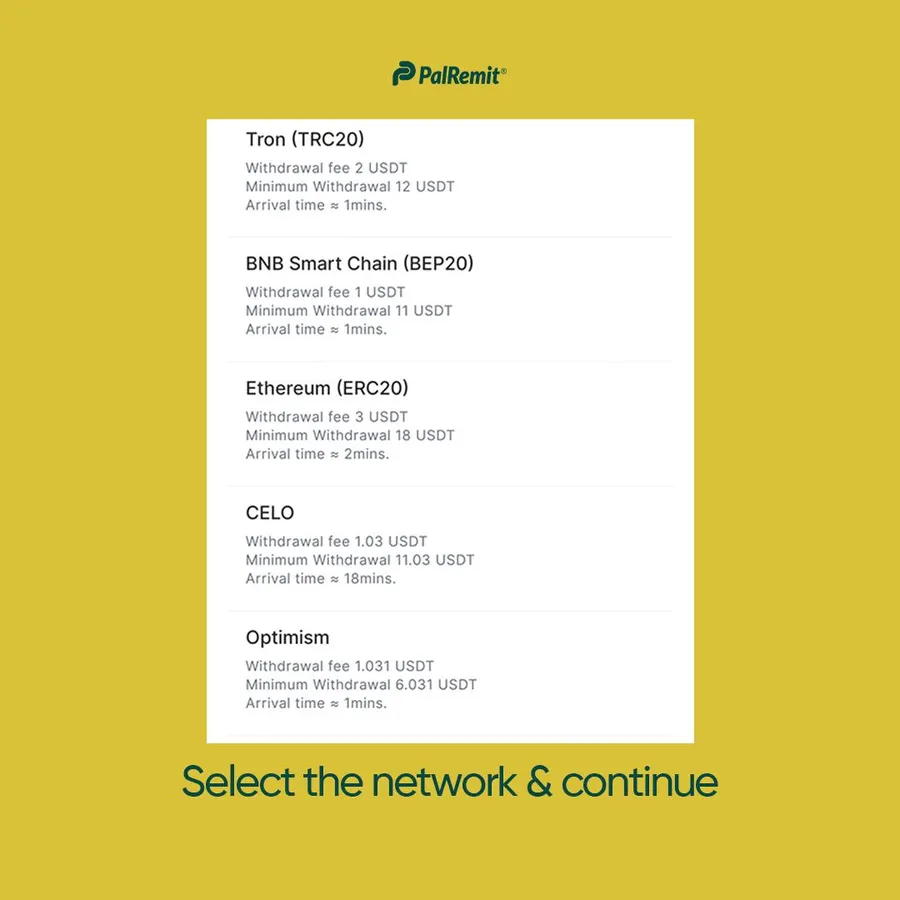
- Pick the network. It must match the network of the address you're sending to.
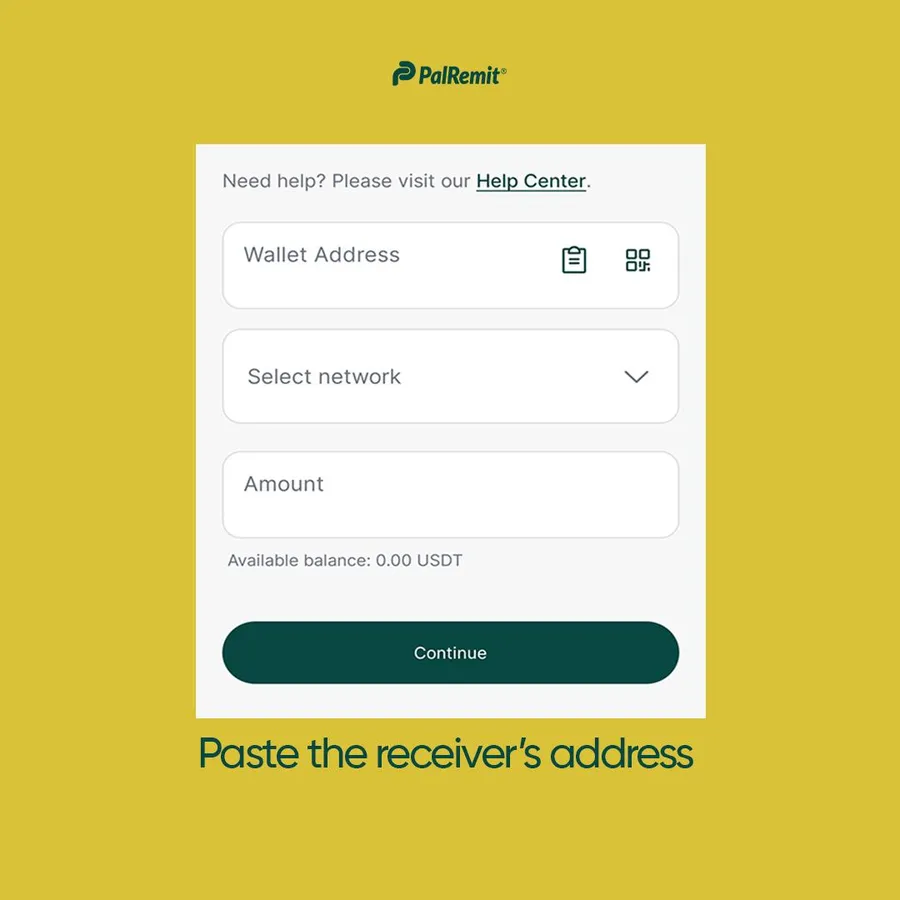
- Paste the receiver's address and enter the amount.
- Check the network fee and the amount that will arrive, then confirm with your transaction PIN.
Before you send
- Check the network with the receiver. If their address is USDT on TRC-20, send on TRC-20. Crypto sent on the wrong network or to a wrong address can't be recovered.
- Network fees vary by network. The app shows the fee before you confirm.
- Crypto transfers can't be reversed once they're confirmed on the blockchain.
