How to receive crypto
You can receive crypto into Palremit from an exchange like Binance or from any other wallet. You need the right address for both the coin and the network.
Find your address
- On the home screen, tap Deposit.
- Pick the coin, for example USDT or BTC.
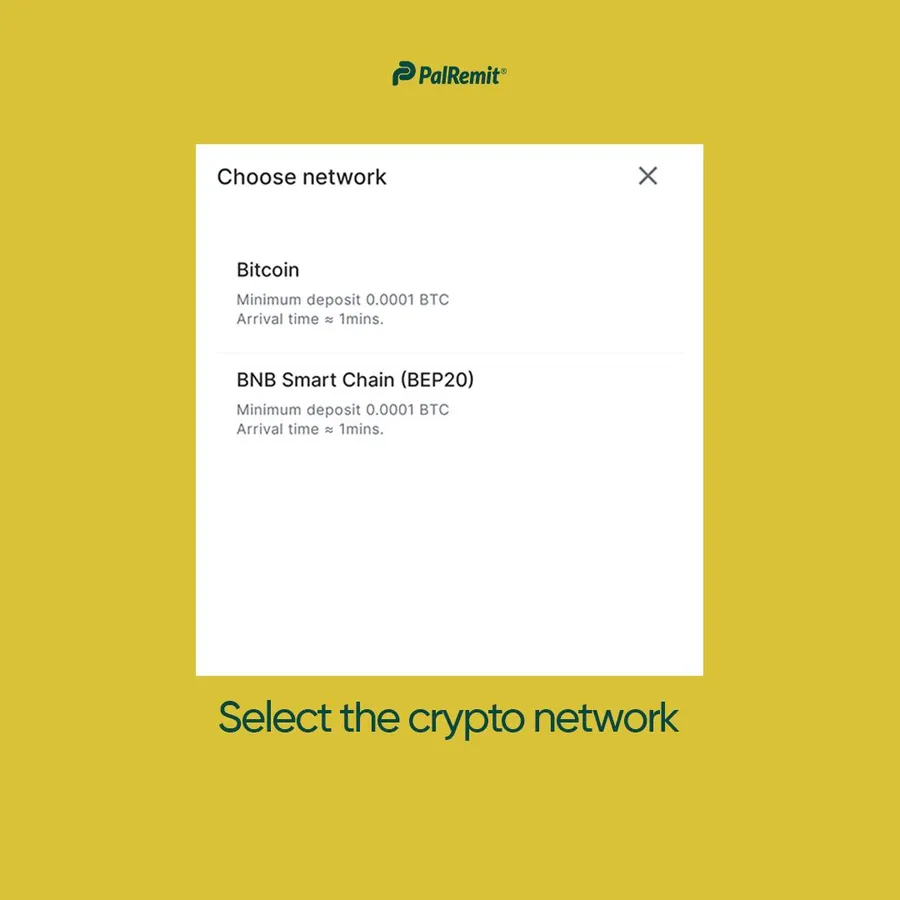
- Pick the network, for example TRC-20 or BEP-20. Pick the same network the sender will use.
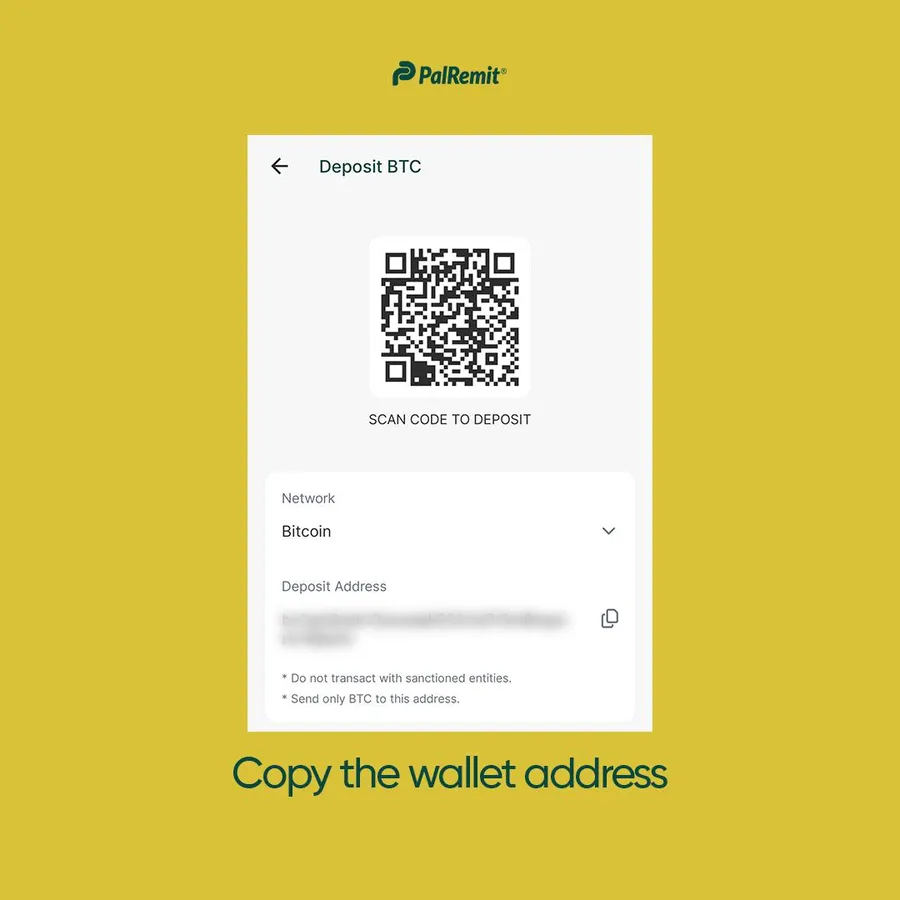
- Copy the address, or show the QR code.
Before anyone sends
- Match the network. USDT sent on TRC-20 must go to your USDT TRC-20 address. Crypto sent on the wrong network or to the wrong address can be lost for good, and crypto transfers can't be reversed.
- Bitcoin is on the native Bitcoin network only. Don't send BTC on BEP-20 or ERC-20, or as a wrapped token such as BTCB.
- Mind the minimum for Bitcoin. The minimum BTC deposit is 0.0001 BTC. Smaller deposits may not be credited.
- Check the network fee. Very small deposits of other coins can cost more in network fees than they're worth.
See all supported networks.
Another Palremit user can also send you crypto instantly with your Palremit ID. See send money to another Palremit user.
