Your Palremit ID
Your Palremit ID, also called your PayTag, is your username on Palremit. Other users send you money, cash or crypto, by entering it. It's instant and works only between Palremit accounts.
Find or change your Palremit ID
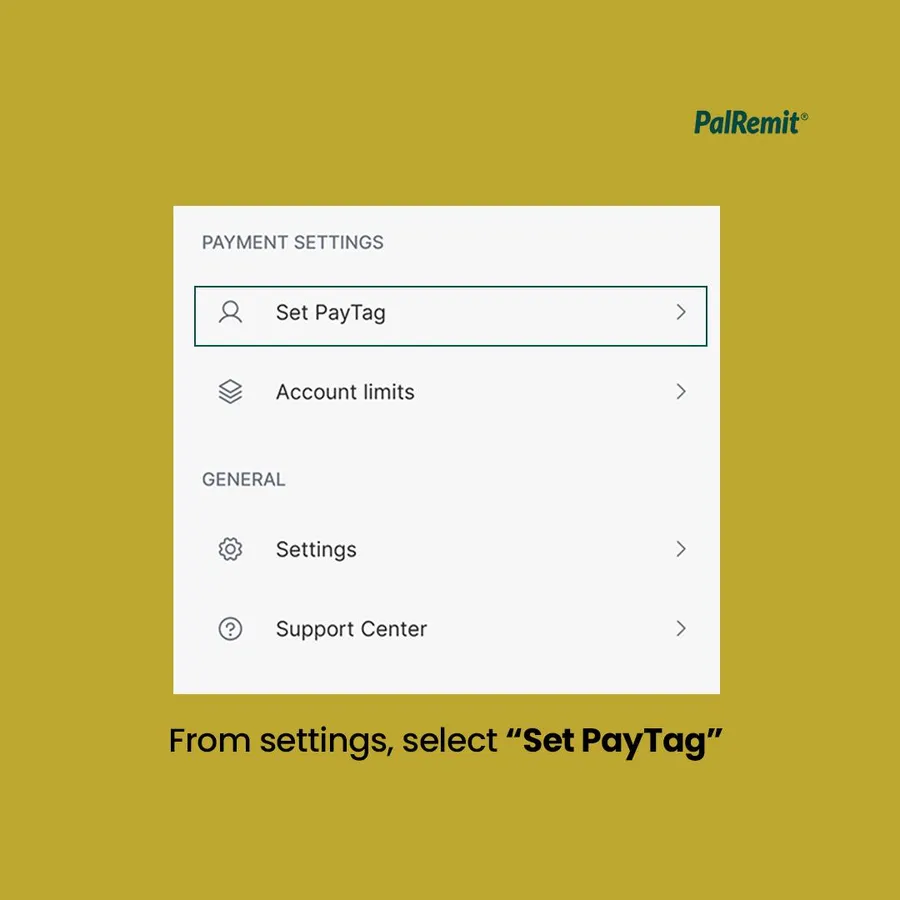
- Tap your profile picture at the top left of the home screen.
- Tap Palremit ID.
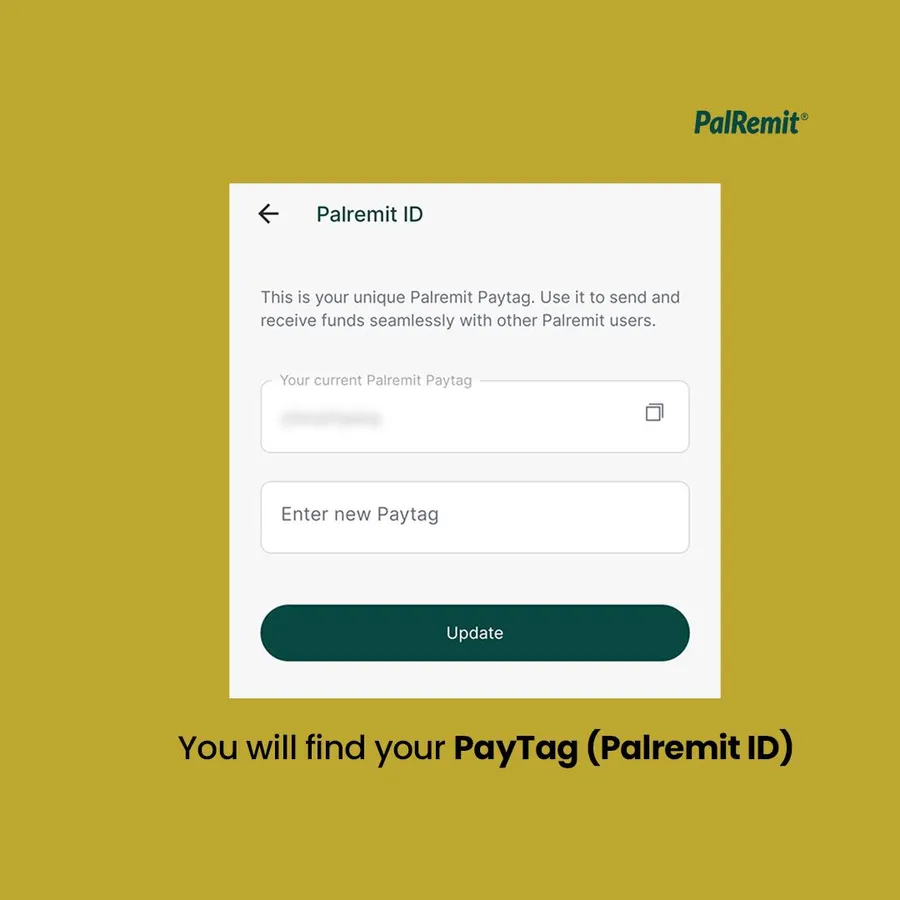
- You'll see your current PayTag. To change it, enter a new one and tap Update.
Use it
- To get paid, share your Palremit ID with the sender.
- To pay someone, see send money to another Palremit user.
Always double-check the ID before you send. Money sent to the wrong user can't always be recovered.
