How to swap currencies
Swap lets you convert between the currencies in your wallet, for example USDT to naira, naira to USDT, or dollars to naira.
Steps
- On the home screen, tap Swap.
- Pick the currency to swap from and enter the amount.
- Pick the currency to swap to. The list only shows the currencies you can swap to from the one you picked.
- Check the rate and the amount you'll get, then confirm.
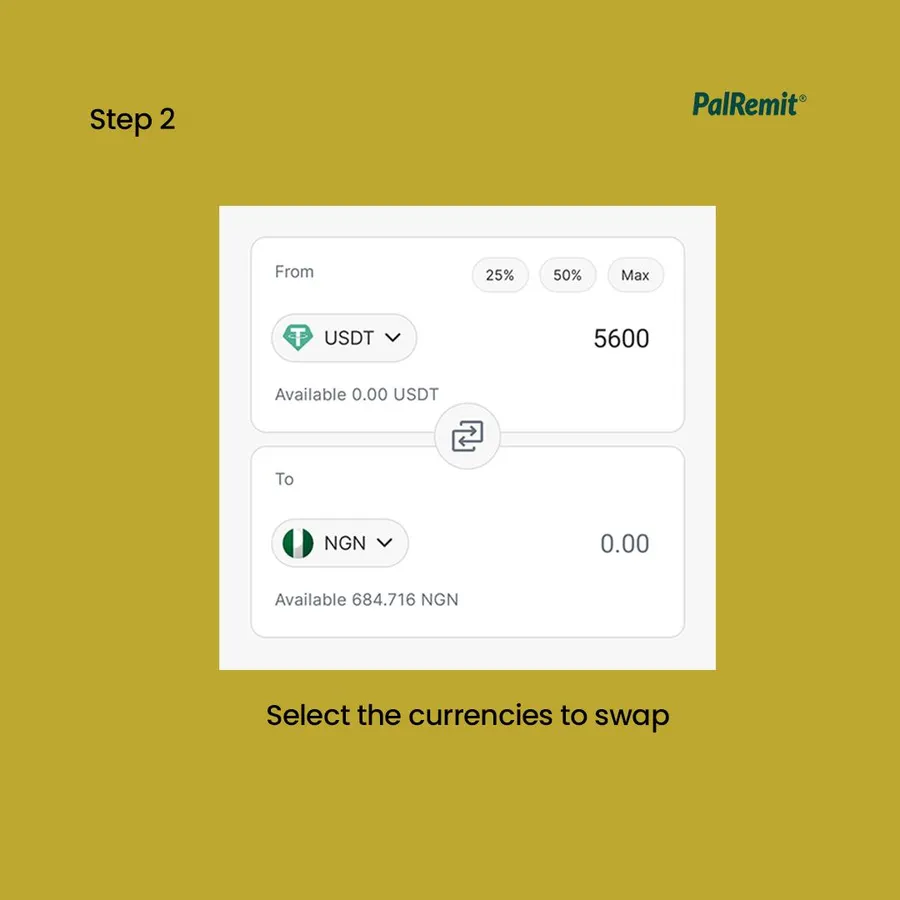
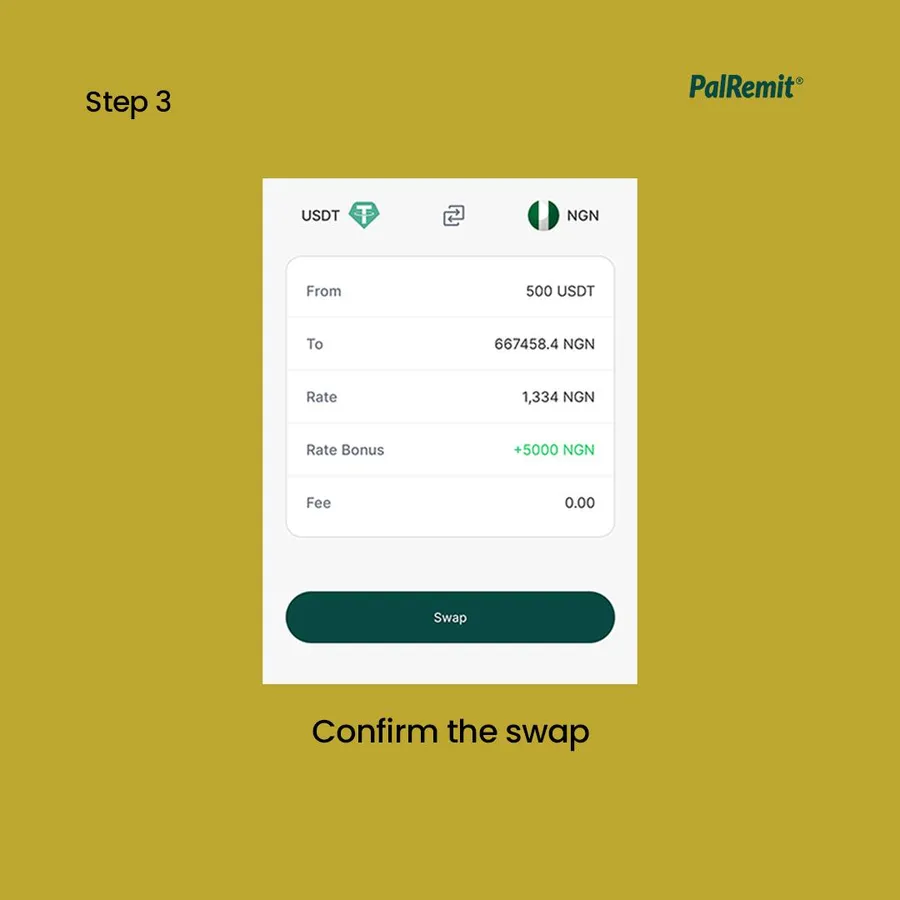
Most swaps complete instantly, and the new balance shows in your wallet straight away.
Rates and fees
The rate moves with the market and includes our spread. The review screen shows the exact amount you'll receive before you confirm. See exchange rates.
If the pair you want isn't listed
Swap in two steps through a currency that is listed, for example naira to USDT, then USDT to dollars. Each step shows its rate first.
Common uses
- Sell crypto for naira: see how to sell crypto for naira.
- Fund your dollar card from any balance: the card converts for you. See how to fund your card.
